Understanding the Image to Prompt Generator
The evolution of artificial intelligence has transformed the way we interact with digital content, particularly in the realm of art and creativity. One of the most groundbreaking tools emerging from this revolution is the image to prompt generator, which allows users to convert images into detailed text prompts tailored for AI image generators. This technology not only streamlines the creative process but also enhances the accuracy and effectiveness of the generated visuals, making it an invaluable resource for artists, designers, and content creators alike.
What is an Image to Prompt Generator?
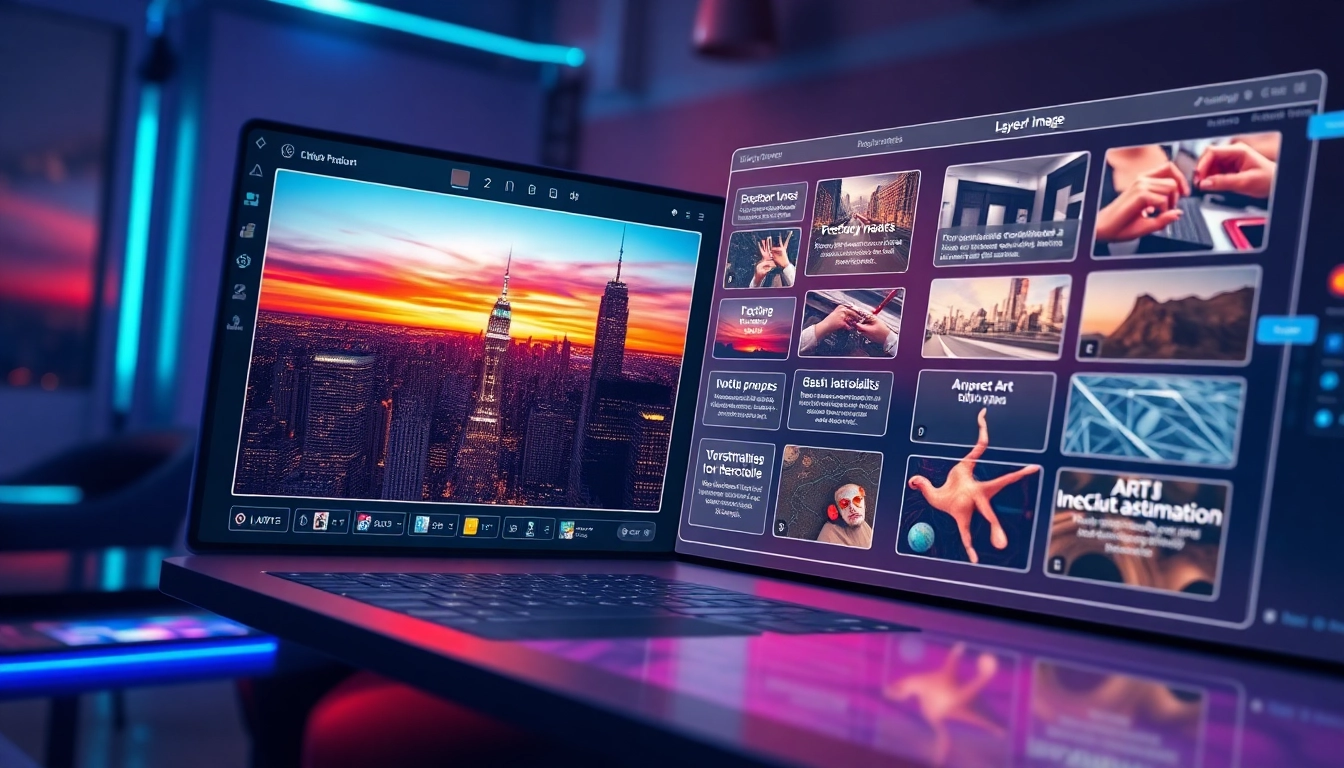
An image to prompt generator is an advanced AI tool designed to analyze visual elements within a photograph or artwork and translate them into structured textual descriptions. These descriptions, known as prompts, can then be used with powerful AI models such as Midjourney, DALL·E, and Stable Diffusion to create new images or modify existing ones. By interpreting various components like subjects, styles, and moods, these generators effectively bridge the gap between imagery and text, allowing for seamless creativity and innovation.
How Does the Technology Work?
The underlying technology of an image to prompt generator relies on sophisticated computer vision and natural language processing algorithms. When a user uploads an image, the tool examines various visual attributes—such as composition, color palette, and focal points. It then leverages large language models to compose a coherent and contextually rich prompt that describes the image. This process not only captures the essence of the image but also formats it in a way that is readily interpretable by AI image generators.
Key Features to Look For
- High Accuracy: The best image to prompt generators offer precise descriptions that retain the original's essence, enabling users to create visually coherent outputs.
- Multiple Prompt Formats: Look for tools that can generate various styles of prompts, such as general descriptions, structured formats, and model-specific adaptations.
- User-Friendly Interface: An intuitive interface can significantly enhance the user experience, allowing for quick uploads and prompt generation without complicated processes.
- Real-Time Processing: Efficient tools provide prompt generation in real-time, ensuring a smooth workflow for artists and designers.
Getting Started with Image to Prompt Generation
Step-by-Step Guide to Using the Generator
Getting started with an image to prompt generator is straightforward. Simply follow these steps:
- Upload Your Image: Start by selecting or dragging and dropping an image file into the tool's interface. Common formats include PNG, JPG, and WEBP.
- Click "Generate Prompt": Once your image is uploaded, click the designated button to initiate the prompt generation process.
- Wait for the Results: The tool will analyze the image and create a detailed prompt, which typically takes only a few seconds.
- Refine Your Prompt: Review the generated prompt and make any necessary adjustments to better fit your specific needs or creative vision.
- Use with AI Generators: Copy your prompt and paste it into your preferred AI image generator to start creating stunning visuals.
Choosing the Right AI Model for Your Needs
While the image to prompt generator can work with various AI models, understanding the strengths and weaknesses of each can help you achieve the best results:
- Midjourney: Known for creating highly artistic and stylized images, this model can benefit from detailed prompts that emphasize creativity and abstract concepts.
- Stable Diffusion: This model excels in generating photorealistic images. Prompts focusing on realism and intricate details work best here.
- Gemini: A versatile option, Gemini adapts well to both artistic and realistic prompts, making it a great all-around choice for diverse projects.
- Flux and Nano Banana Pro: These models are optimized for specific applications and often require tailored prompts for best performance.
Common Mistakes to Avoid
To maximize the effectiveness of your image to prompt generator, consider avoiding these common pitfalls:
- Overly General Prompts: Vague descriptions can lead to bland results. Always strive for specificity in your prompts.
- Ignoring Model Compatibility: Each AI model has unique strengths; ensure your prompts align with the capabilities of the generator you’re using.
- Neglecting Refinement: If the generated prompt doesn’t meet expectations, make adjustments rather than settling for suboptimal results.
Enhancing Your AI Generated Images
How Prompts Improve AI Image Quality
The quality of AI-generated images is heavily influenced by the prompts used. A well-crafted prompt provides a clear and descriptive foundation, guiding the AI in creating images that are visually appealing and contextually relevant. Prompts that include information regarding the mood, style, and specific visual elements lead to outputs that are closer to the user’s artistic vision. Additionally, utilizing detailed prompts helps mitigate inconsistencies or deviations that may arise from more generic instructions.
Creating Detailed Prompts: Best Practices
To create effective prompts, consider the following best practices:
- Be Descriptive: Include key elements such as lighting, atmosphere, and the relationship between subjects.
- Utilize Structured Formats: For complex images, structured prompts that break down various components can lead to more accurate results.
- Experiment with Variations: Don’t hesitate to try different prompts to see how subtle changes affect the final outputs.
User Experiences and Testimonials
Many users have found significant value in utilizing image to prompt generators in their creative processes. For instance, one user highlighted that the tool consistently provides high-quality descriptions that inspire new ideas and artistic directions. Another user emphasized how the Gemini prompt format enhanced their experience, allowing for greater creative freedom and exploration. This feedback suggests that image to prompt generators are not just tools, but companions in the artistic journey.
Compatibility with Various AI Models
Using Image to Prompt Generator with Nano Banana Pro
Nano Banana Pro is designed for efficiency and precision in generating images. When using the image to prompt generator in conjunction with this model, users should focus on crafting prompts that highlight specific details and desired outcomes. The integration of these two tools allows for a streamlined workflow, making it easier to bring artistic visions to life.
Integration with Midjourney and Gemini
Both Midjourney and Gemini have become popular choices among artists due to their unique capabilities. By utilizing the image to prompt generator, artists can create highly detailed prompts that cater to the specific strengths of each model. For example, prompts for Midjourney can emphasize surrealism and creativity, while prompts for Gemini can focus on realism and fidelity to the original image's context.
Leveraging for Stable Diffusion and Flux
When working with Stable Diffusion and Flux, it's essential to understand the importance of detail and context in your prompts. These models thrive on well-structured prompts that outline not just what is depicted, but the environment, lighting, and emotional tone of the images. By leveraging the capabilities of the image to prompt generator in this way, users can unlock the full potential of these advanced AI systems.
The Future of AI and Image Prompting
Emerging Trends in 2026
As we look toward 2026, the landscape of AI and image prompting is poised for significant advancements. Expect to see greater integration of augmented reality and virtual environments where AI-generated images seamlessly blend with real-world elements. Additionally, user customization features will become more sophisticated, allowing for unprecedented levels of personalization in creative projects.
Potential Advancements in Image Analysis
Future image to prompt generators will likely incorporate more advanced machine learning techniques, enabling them to analyze not just static images but also dynamic content like videos or 3D models. This evolution could dramatically enhance the way artists and creators interact with their visual content, offering deeper insights and more nuanced prompt generation.
Expectations for User Engagement and Creativity
As tools like the image to prompt generator continue to develop, expectations for user engagement will rise. Artists and creators will demand more intuitive interfaces, advanced features, and deeper integration with other creative tools. This trend will foster a more collaborative environment where technology and creativity coalesce, inspiring a new wave of artistic expression.